Everything an installation business runs on
Contractor CRM, quotation software, job and work order management, technician scheduling, invoicing, AMC and inventory: one system from the first enquiry to the last service call. Every plan includes all of it, with no modules to add on.
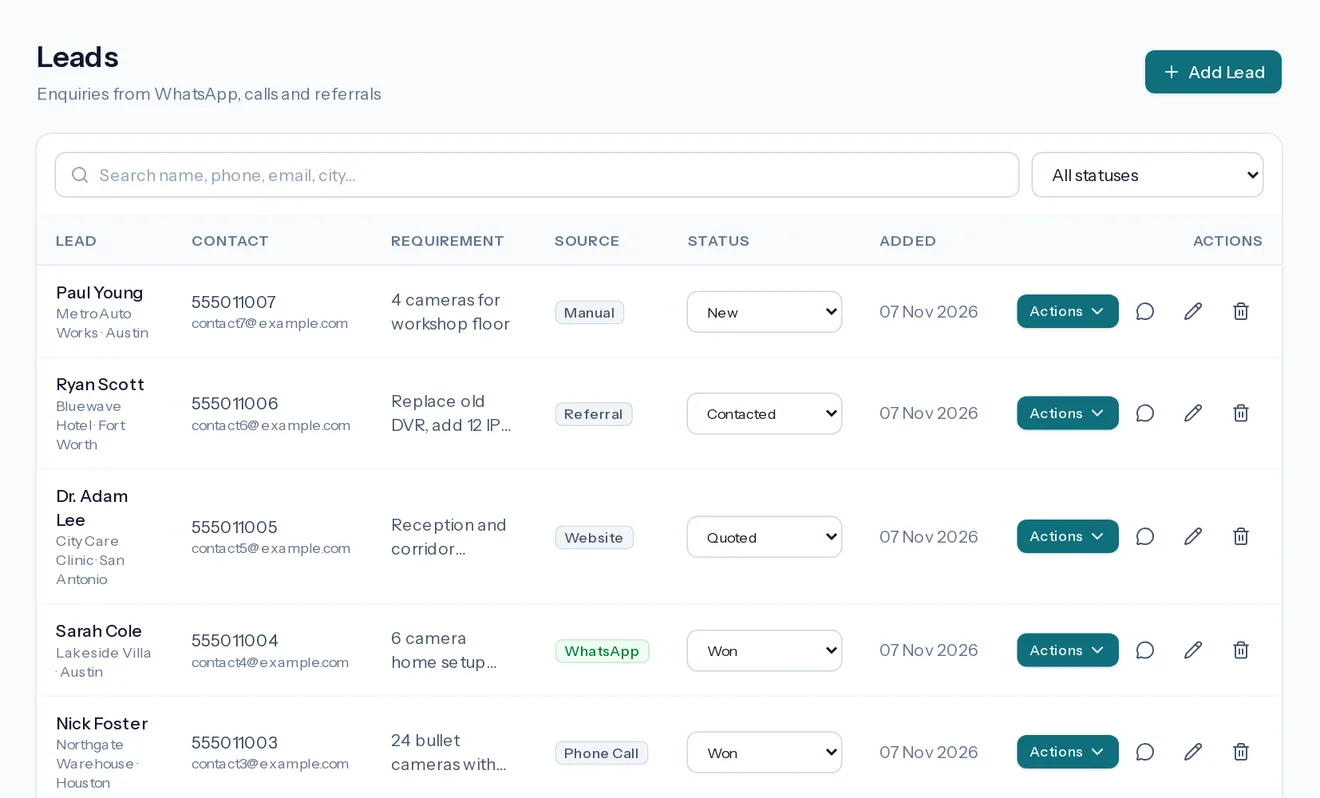
Leads
Never lose an enquiry in a chat again
Enquiries come from WhatsApp, phone calls, referrals and your website. Put each one in one list and always know who needs a reply.
- Record the source, so you can see where work comes from
- Follow each lead through New, Contacted, Quoted, Won or Lost
- Assign each lead to a person and set the next follow-up date; the dashboard lists every follow-up due
- Message a lead on WhatsApp from a saved template
- Add a WhatsApp Web chat as a lead in one click with the Chrome extension
- Connect your own website's contact form, so each enquiry arrives as a lead
Site visits
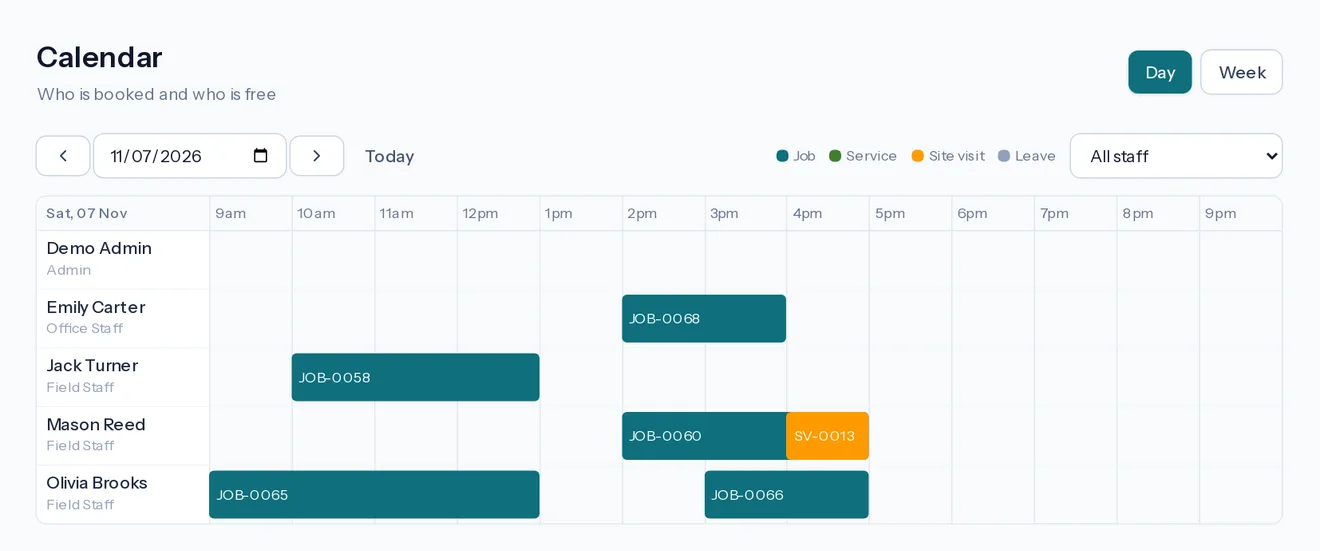
Send the right person to survey the site
Book a survey into an engineer's day. Their notes stay with the lead, and the address carries through to the quote.
- See who is free before you book
- Survey notes are ready when you write the quote
- Mark each visit Scheduled, Completed or Cancelled
Quotes
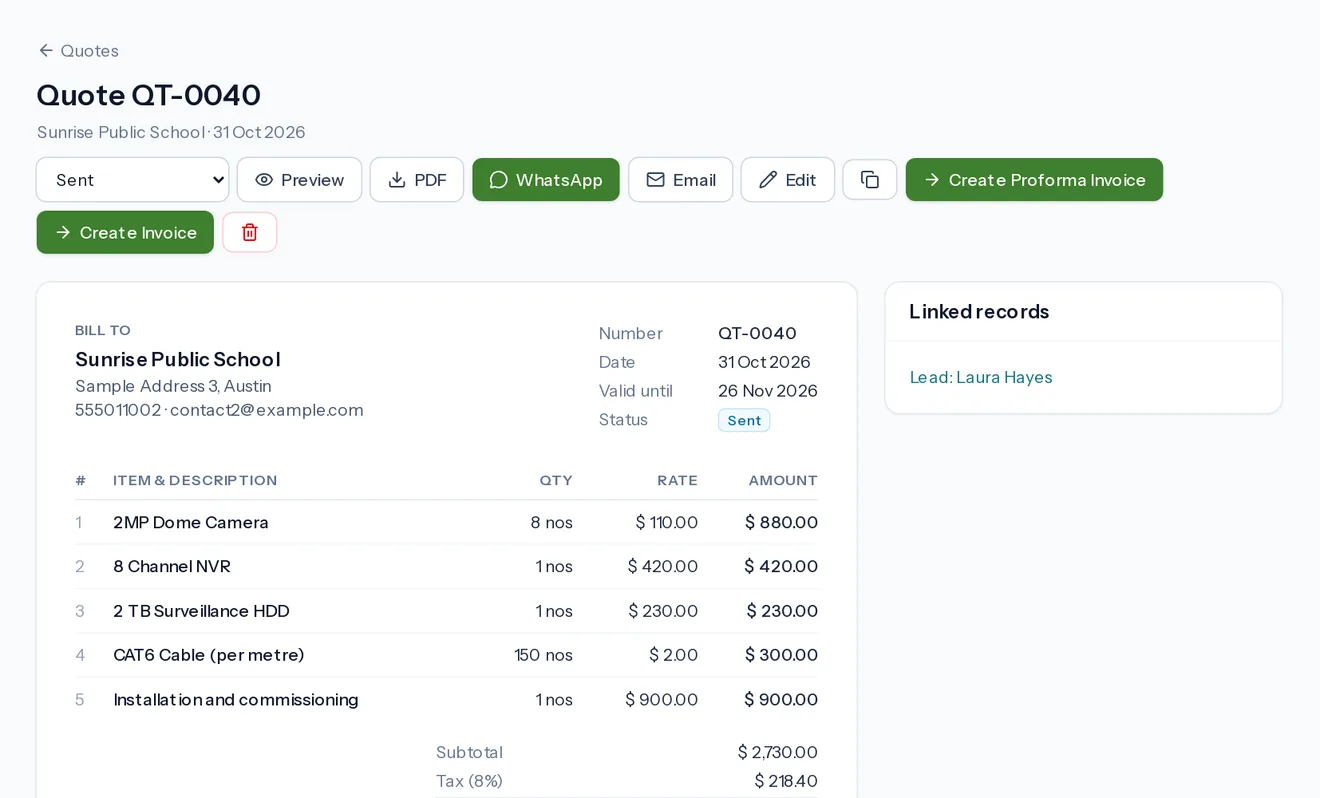
Send a professional quote while the customer is still interested
Start from a template such as a 4 camera shop package, change what is different, and send the PDF straight to WhatsApp or email.
- Reusable document templates and an item catalogue
- Your logo, signature, terms and specifications on the PDF
- See whether each quote is Draft, Sent, Accepted, Rejected or Converted
Jobs
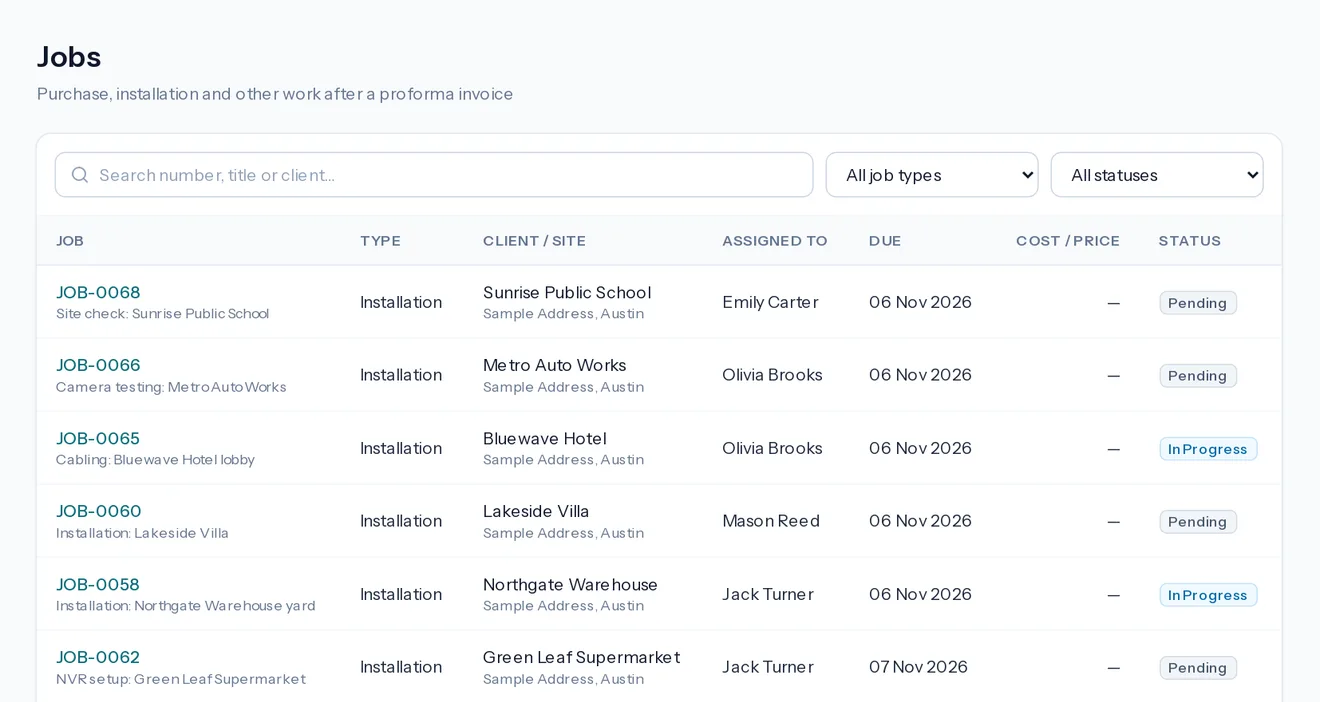
Turn an order into scheduled work
Each new proforma gets its purchase and installation jobs automatically, so the work does not depend on someone remembering.
- Your own job types, such as purchase, installation and commissioning
- Follow each job through Pending, In Progress, Hold, Completed and Approved
- Photos, notes and costs recorded from site
- Optional inventory: stock is taken out against each order, and items the installers did not use go back into stock
Service calls
Handle every service call without losing track
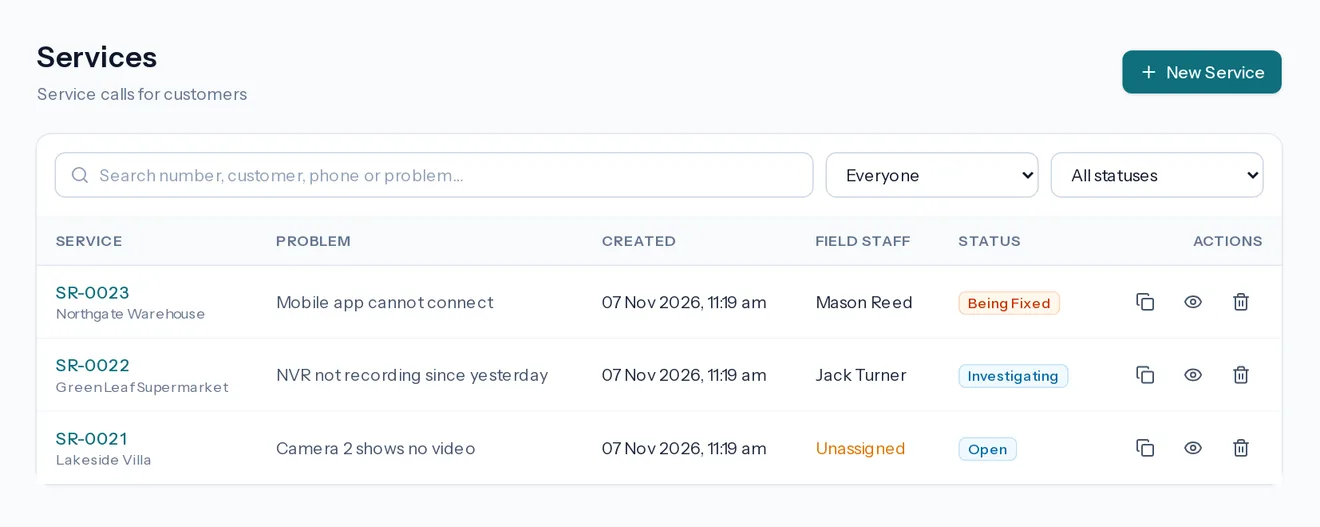
Log the problem and its location. An engineer picks it up, updates its status, adds expenses and the customer can get a receipt.
- Follow each call through Open, Investigating, Issue Traced, Being Fixed and Issue Resolved
- Keep the phone number and Google Maps location with the call
- Expenses appear on the service receipt
- AMC maintenance contracts create each planned visit as a service call and list contracts due for renewal
- Record the service charge and the payments once the call is resolved
- Send customers a service request link to report problems themselves
Invoices
From quote to invoice without retyping
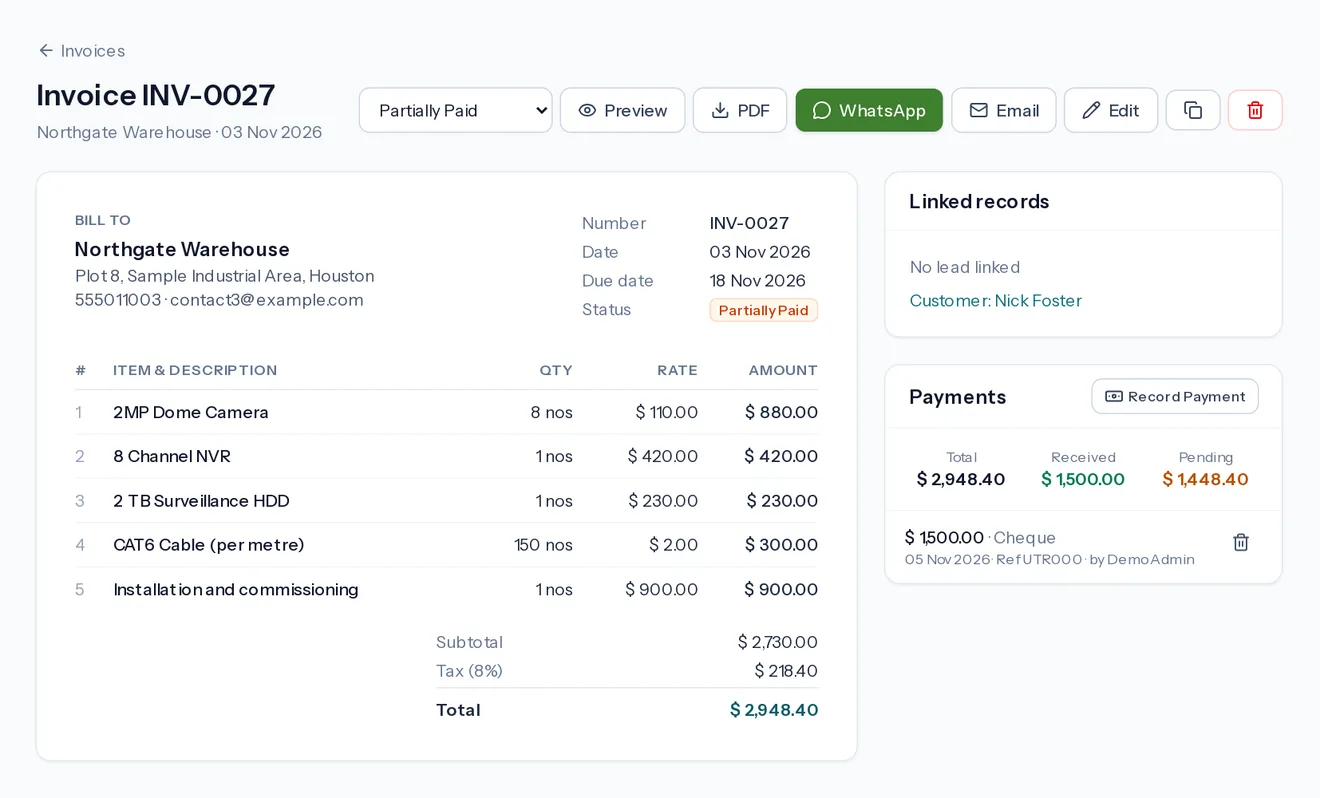
Convert a quote to a proforma and then an invoice in a click. Record full or part payments and see at a glance what is still owed.
- Automatic numbering with your own prefixes
- Record payments by cash, bank transfer, cheque, card and more
- Send invoices and receipts by WhatsApp or email
Attendance and leave
Know who is working and where
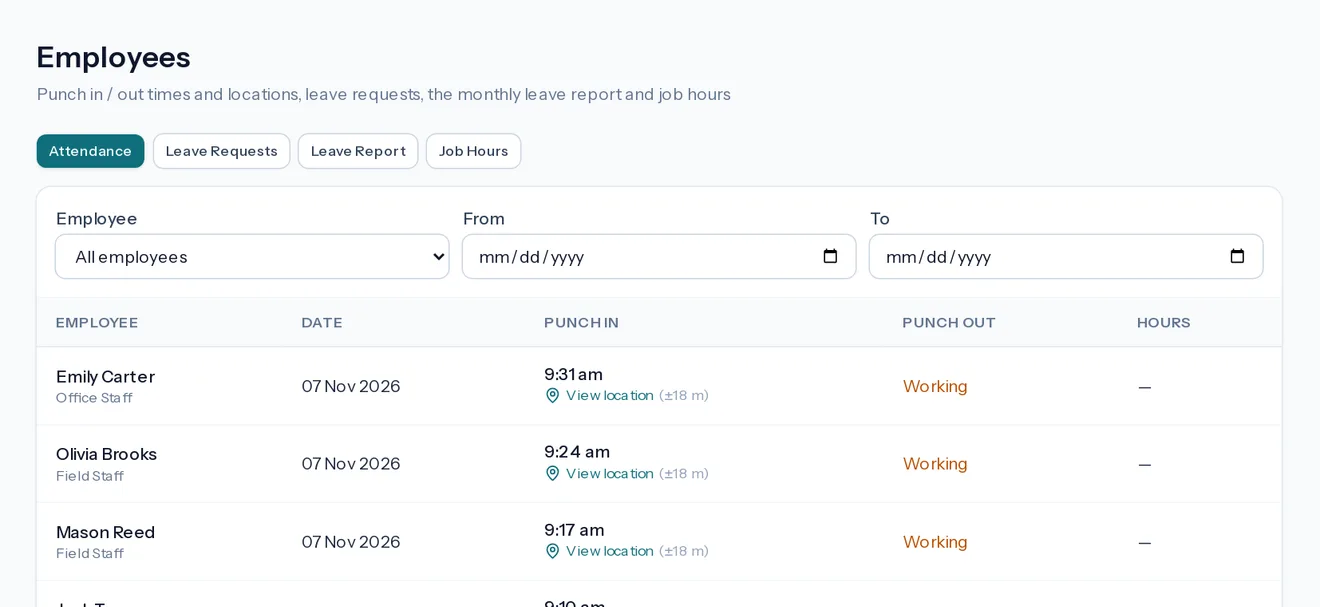
Staff punch in from their phones. Leave requests go to an admin for approval, and reports are ready when you run payroll.
- Punch in and out with location
- Automatic punch out if someone forgets
- Start and End Work on a job records the real hours spent
For field staff
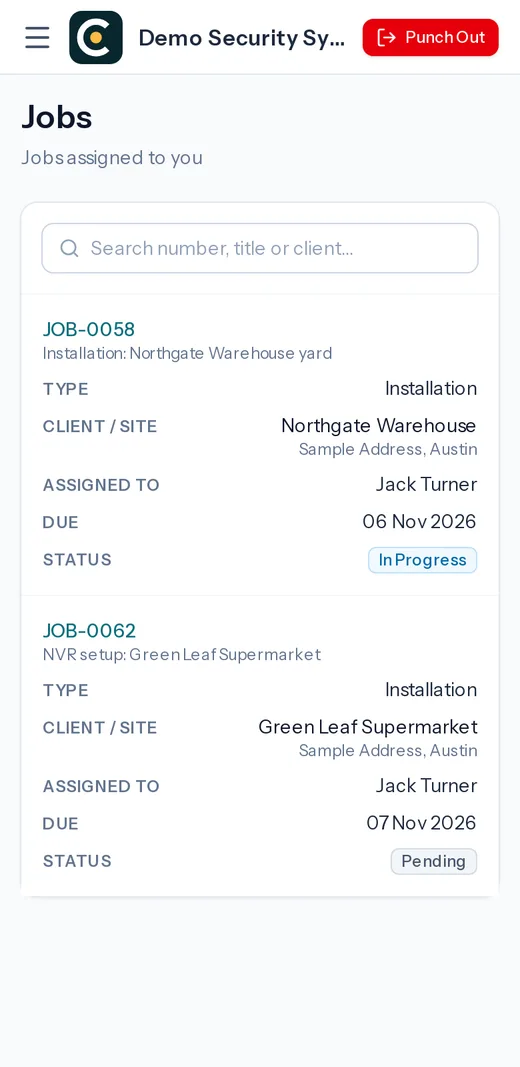
A simple phone view for engineers
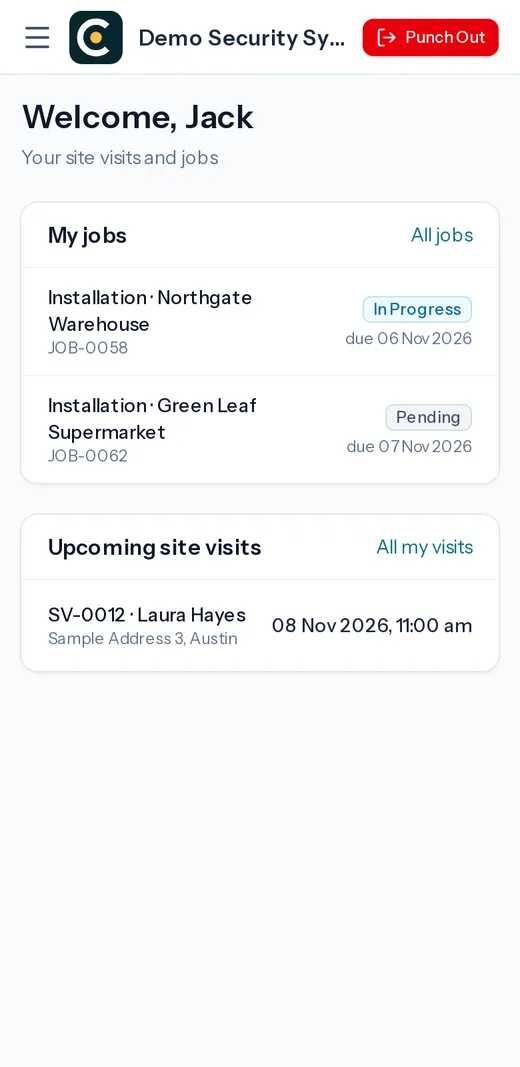
Field staff see only their own work, not your pricing or accounts. They open the day's jobs, add photos and notes, and claim expenses with a picture of the bill.
Dashboard
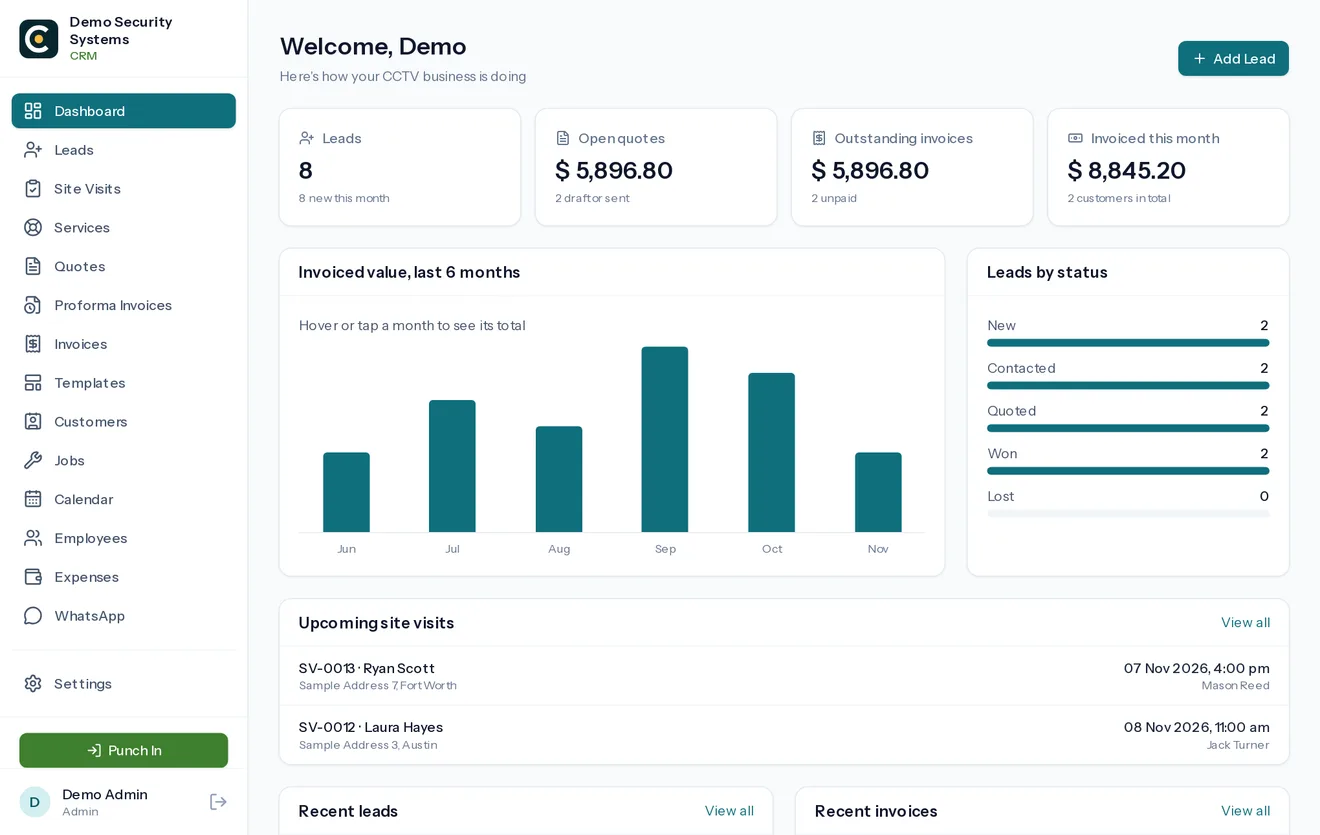
See the whole business on one screen
See how enquiries, work and money are moving, without asking anyone for an update.
- Separate logins for admin, office and field staff
- Each company's data kept separate from every other company
- Your logo, bank details and document terms under your settings
Why not spreadsheets and WhatsApp groups?
They work when you have a few jobs a month. As the team grows, the problems below start costing real money.
| The work | With chats and spreadsheets | With CamVerion |
|---|---|---|
| Enquiries | Scattered across staff phones | One list with status and history |
| Quotes | Copied from an old file, with old prices | Templates and a catalogue, sent as a PDF |
| Scheduling | Discovered clashes on the day | See each employee's day before booking |
| Job progress | Phone calls to ask for updates | Status, notes and photos on the job |
| Money owed | Worked out by hand at month end | Paid and unpaid amounts on each invoice |
| Staff expenses | Paper bills and memory | Bill photo and a running account per employee |
Common questions
Which businesses is it for?
CamVerion is made for companies that install and service systems on customer sites: CCTV, security and fire alarms, home automation, solar EPC, HVAC, AV and home theatre, and networking. The screens and workflow follow how this work is really done, from site survey to commissioning and service.
Can field staff use it on a phone?
Yes. It runs in the phone's web browser, and field staff see only the work assigned to them.
Can we add our own logo?
Yes. Every company adds its own logo, signature, bank details and terms, and they appear on its PDFs.
Can it send from our own WhatsApp number?
Yes. You link your number by scanning a QR code, in the same way as WhatsApp Web, and documents are sent from it.
Is it suitable outside India?
Yes. Companies outside India get a simple tax line, their own currency symbol and timezone, instead of the GST features.
Can you build something specific to our company?
Yes. We also build customised versions, including white-label software under your own brand.
Learn how each screen works in the user docs, or see pricing.
Run your next installation job from one place
Sign up with your company details. We verify them, approve your account once your setup fee is received, then you can add your team.