For alarm, access control, intercom and fire alarm installers
Security integrator software for alarm, access control, fire alarm and intercom contractors
Alarm panels, access control doors, video door phones and fire detection: every system starts with a survey, becomes a quote, gets installed and then needs service for years. CamVerion keeps all of that on one record, from the first enquiry to the tenth service visit.
Plans from $49 a month for up to 10 users. Every feature on every plan.
Security work is never one visit
A typical security job involves a survey, a quote with several revisions, an installation that may run over days, a handover, and then service calls whenever a sensor, reader or keypad plays up. When each step lives in a different notebook, chat or spreadsheet, nobody can see the whole picture of a customer.
Security installation business software ties these steps together. The survey notes are in front of whoever writes the quote, the installer sees what was sold, and the engineer attending a fault sees what was installed and every call before it.
One flow, from first call to final payment
Each stage creates what the next one needs, so nothing is typed twice.
-
Step 1
Enquiry
Log calls, WhatsApp messages and referrals for alarms, access control or intercoms as leads with a clear status.
How it works -
Step 2
Survey
Send a surveyor to count doors, zones and cable runs. Their notes are ready when the quote is written.
How it works -
Step 3
Quote
Build quotes from saved packages, such as a 6-zone alarm or a 4-door access system, and adjust for the site.
How it works -
Step 4
Order and jobs
An approved proforma creates the purchase and installation jobs, so ordering and fitting start on time.
How it works -
Step 5
Scheduling
Book installers into free slots, with leave already blocked out, so two jobs never share one engineer.
How it works -
Step 6
Invoice
Turn the order into an invoice without retyping, with your numbering and tax on every line.
How it works -
Step 7
Payments
Record advances, stage payments and balances, and see at a glance who still owes you.
How it works -
Step 8
Service calls
Log false alarms, faulty readers and keypad problems, assign an engineer and follow each call to the end.
How it works
Win more security work
Every enquiry has an owner and a next step
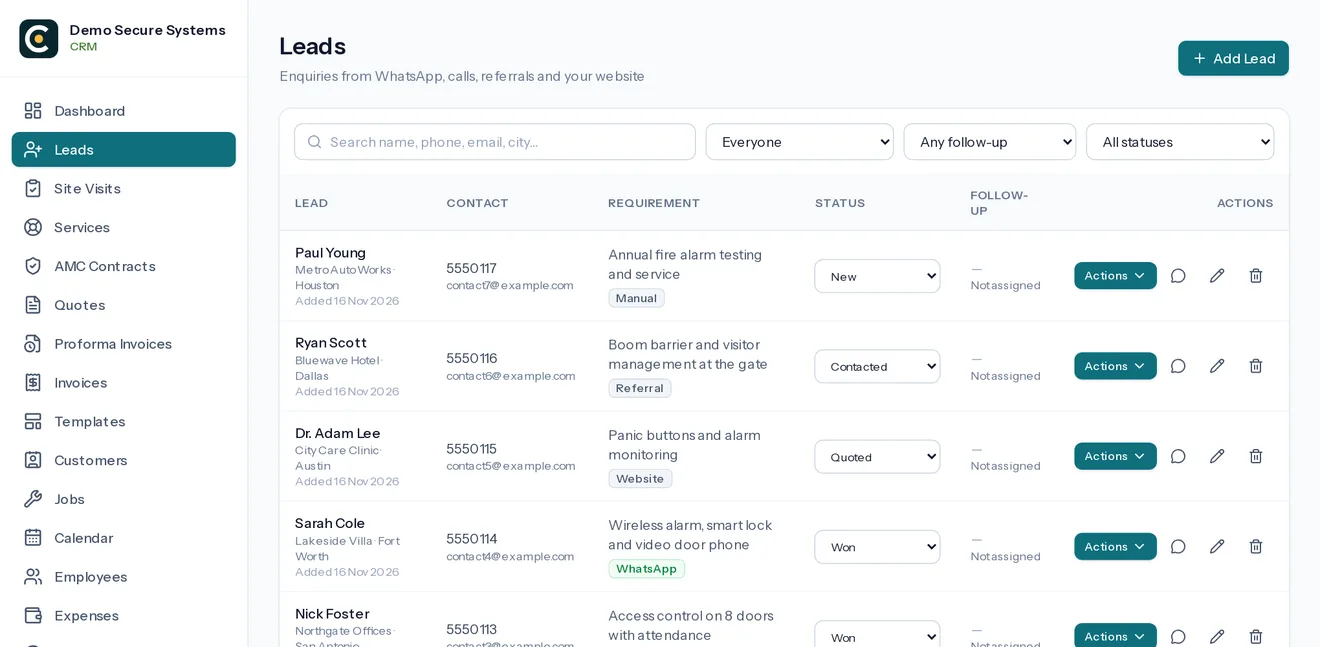
Alarm and access control enquiries often come from existing customers and referrals. Each one is recorded with its source and requirement, so follow-ups happen and you can see which sources bring paying work.
- Add a WhatsApp Web chat as a lead in one click
- Quotes built from your own saved packages
- Lost reasons recorded, so you learn why jobs went elsewhere
Look after systems for years
Service history the engineer can actually see
Before visiting a site, the engineer can see what was installed and every earlier call. Repeat faults stand out, and chargeable work is recorded with its parts and travel so it gets billed.
- Clear stages from Open to Issue Resolved
- Parts, travel and charges recorded on the call
- A receipt sent to the customer when the work is done
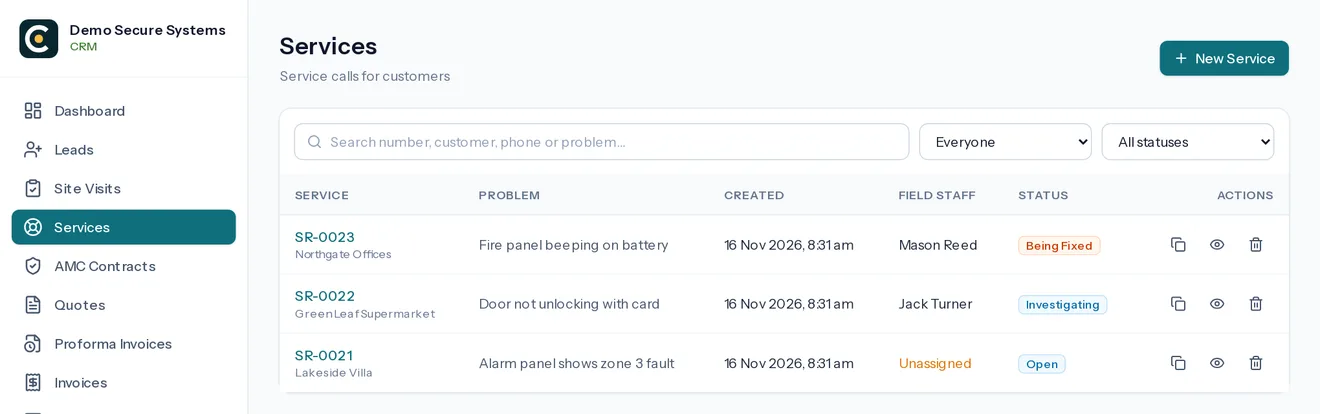
Screens are from the real software, with made-up demo data.
Built for field teams
Installers see the job, not your margins
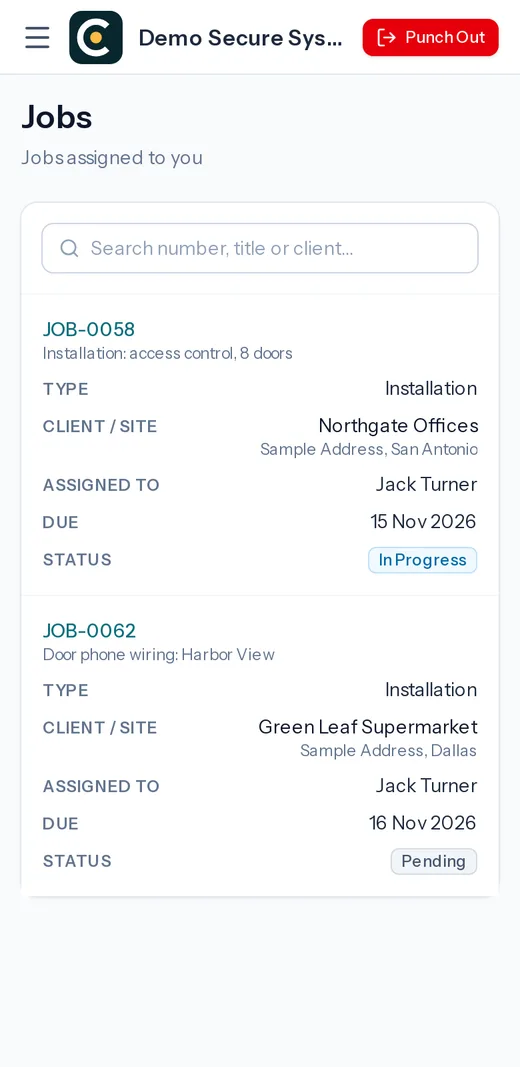
Field staff open their surveys, installations and service calls on their phone, with the address, contact and notes. They punch in, add photos of panels and wiring, and claim expenses. Prices and accounts stay with the office.
How roles work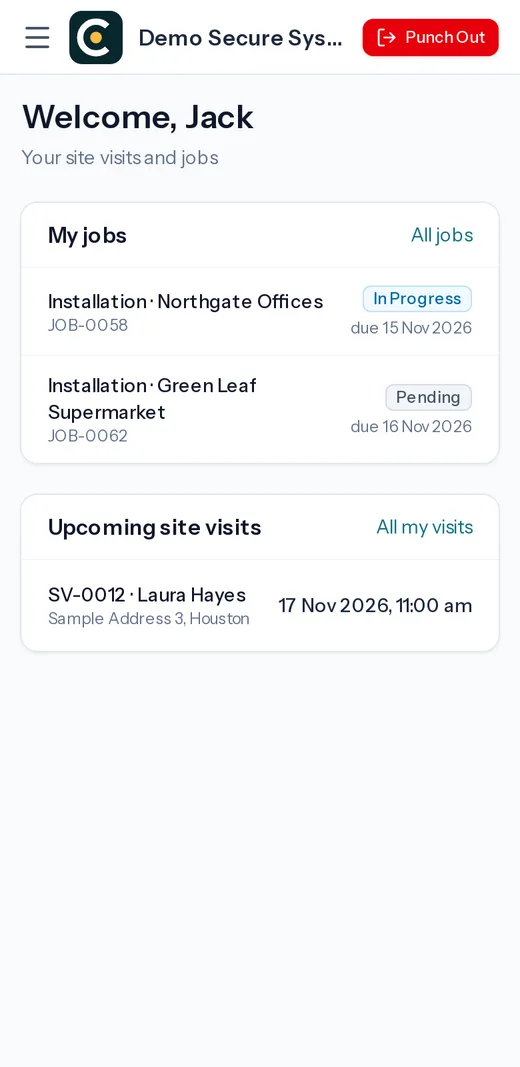
Questions about security integrator software for alarm, access control and fire alarm contractors
What is security integrator software?
Security integrator software, also called security contractor or security installation software, runs the daily work of a company that installs alarms, access control, intercoms, video door phones or fire alarms: enquiries, surveys, quotes, jobs, invoices, payments and service calls, along with the staff who do the work.
Does CamVerion suit fire alarm and access control companies?
Yes. The workflow of survey, quote, installation, handover and service is the same across security systems. You set up your own job types, item catalogue and document templates for the systems you install.
Can we also run CCTV work through it?
Yes. Many security companies install CCTV as well, and all of it runs through the same leads, quotes, jobs and service calls. There is no separate module to buy.
Does it handle alarm monitoring?
No. CamVerion runs the business side of installing and servicing systems. It does not receive alarm signals. Monitoring stations use dedicated monitoring software alongside it.
How much does it cost?
Plans start at $49 a month for up to 10 users, with a one-time setup fee. Every plan includes every feature.
Further reading for security installation business owners
Who it is for
Also built for these installation businesses
Different trades, the same journey: an enquiry, a site visit, a quote, the installation, the invoice and years of service. One system runs it for all of them.
- CCTV installation Surveys, multi-camera quotes, installation jobs and service calls. See how it works
- Home automation Smart home projects, room-by-room quotes and support. See how it works
- Solar EPC Roof surveys, rooftop projects, stage payments and O&M. See how it works
- HVAC AC installations, service visits and breakdown calls. See how it works
- AV and home theatre Equipment quotes, AV projects, calibration and support. See how it works
- Networking and cabling Structured cabling, Wi-Fi projects and support calls. See how it works
- Electrical contracting Rewiring, boards, EV chargers and maintenance call-outs. See how it works
Run your next installation job from one place
Sign up with your company details. We verify them, approve your account once your setup fee is received, then you can add your team.